Keeping your IT infrastructure running smoothly isn’t just about fixing problems—it’s about preventing them. A reliable system monitor acts like a vigilant guardian, tracking performance, spotting anomalies, and alerting you before small glitches turn into major outages. In today’s fast-paced digital world, real-time visibility is no longer optional; it’s essential.



What Is a System Monitor and Why It Matters

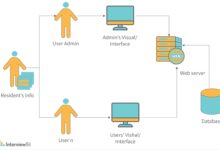
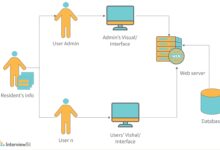
A system monitor is a software tool or suite designed to observe, analyze, and report on the health and performance of computer systems, servers, networks, and applications. It continuously collects data such as CPU usage, memory consumption, disk I/O, network traffic, and application response times, providing administrators with actionable insights.
Core Functions of a System Monitor
The primary goal of any system monitor is to ensure system reliability, availability, and performance. It does this by performing several key functions:
- Real-time Monitoring: Tracks system metrics as they happen, allowing for immediate detection of performance bottlenecks.
- Alerting and Notifications: Sends alerts via email, SMS, or integrations (like Slack or PagerDuty) when thresholds are breached.
- Historical Data Logging: Stores performance data over time for trend analysis and capacity planning.
- Automation and Remediation: Some advanced tools can trigger automated responses, such as restarting a failed service.
“A system monitor is the first line of defense in maintaining uptime and performance across complex IT environments.” — TechOps Journal, 2023
Types of System Monitoring
Not all monitoring is the same. Depending on the infrastructure and goals, organizations deploy different types of system monitoring:
- Hardware Monitoring: Focuses on physical components like CPU temperature, fan speed, and disk health.
- Software Monitoring: Tracks application performance, process status, and service availability.
- Network Monitoring: Observes bandwidth usage, latency, packet loss, and firewall status.
- Cloud Monitoring: Extends monitoring to virtualized and cloud-based environments like AWS, Azure, or Google Cloud.
Top 7 System Monitor Tools You Should Know
Choosing the right system monitor can make or break your IT operations. Below is a curated list of seven powerful tools, each excelling in different areas—from open-source flexibility to enterprise-grade scalability.
1. Nagios XI – The Veteran Powerhouse
Nagios XI has been a cornerstone in system monitoring for over two decades. Known for its robustness and extensive plugin ecosystem, it supports monitoring of servers, applications, services, and network protocols.
- Supports thousands of plugins via Nagios Exchange.
- Offers customizable dashboards and detailed reporting.
- Integrates with SNMP, WMI, and SSH for cross-platform monitoring.
While its interface can feel dated, Nagios XI remains a favorite among seasoned sysadmins. Learn more at Nagios Official Site.
2. Zabbix – Open-Source Scalability
Zabbix stands out for its scalability and real-time monitoring capabilities. It’s ideal for large enterprises with distributed systems.
- Auto-discovers network devices and services.
- Supports agent-based and agentless monitoring.
- Offers advanced visualization with graphs, maps, and screens.
Zabbix can handle over 10,000 metrics per second, making it suitable for high-load environments. Visit Zabbix.com for free downloads and documentation.
3. PRTG Network Monitor – Simplicity Meets Power
Developed by Paessler, PRTG is renowned for its user-friendly interface and seamless setup. It uses sensors to monitor various aspects of your IT environment.
- Over 200 sensor types for monitoring bandwidth, uptime, and more.
- Auto-discovers devices on your network.
- Provides mobile apps for iOS and Android.
PRTG is perfect for small to mid-sized businesses. The free version allows up to 100 sensors. Explore it at Paessler’s PRTG Page.
4. Datadog – Cloud-Native Excellence
Datadog is a SaaS-based monitoring platform built for cloud and hybrid environments. It excels in monitoring dynamic infrastructure like containers and microservices.
- Real-time dashboards with AI-powered anomaly detection.
- Deep integration with AWS, Kubernetes, Docker, and serverless platforms.
- Unified observability combining metrics, logs, and traces.
Datadog’s strength lies in its ecosystem. Developers and DevOps teams love its API and collaboration features. Check it out at Datadog Official.
5. Prometheus – The DevOps Favorite
Prometheus is an open-source monitoring and alerting toolkit originally built at SoundCloud. It’s now a CNCF (Cloud Native Computing Foundation) graduate project.
- Pull-based model with time-series database.
- Powerful query language (PromQL) for deep analysis.
- Excellent for Kubernetes and containerized environments.
Prometheus is highly customizable but requires more setup effort. It’s often paired with Grafana for visualization. Learn more at Prometheus.io.
6. SolarWinds Server & Application Monitor (SAM)
SolarWinds SAM is a comprehensive solution for monitoring both physical and virtual servers, as well as business-critical applications.
- Pre-built templates for SAP, Microsoft SQL, Oracle, and more.
- Deep application performance monitoring (APM).
- Root cause analysis with automated dependency mapping.
SAM integrates seamlessly with other SolarWinds products, making it ideal for organizations already in the ecosystem. Visit SolarWinds SAM for demos and trials.
7. New Relic – Full-Stack Observability
New Relic offers a full-stack observability platform that combines infrastructure monitoring, APM, browser monitoring, and synthetic monitoring.
- Real user monitoring (RUM) to track end-user experience.
- AI-driven insights with anomaly detection.
- Free tier available with generous limits.
New Relic is developer-friendly and supports custom instrumentation. It’s a top choice for modern web applications. Explore at NewRelic.com.
Key Metrics Tracked by a System Monitor
Effective monitoring isn’t just about collecting data—it’s about collecting the right data. A good system monitor focuses on key performance indicators (KPIs) that reflect system health and user experience.
CPU and Memory Utilization
CPU and memory are the lifeblood of any computing system. High usage can indicate performance bottlenecks or memory leaks.
- Consistently high CPU usage (>80%) may require load balancing or hardware upgrades.
- Memory leaks in applications can be detected by tracking gradual increases in RAM consumption.
- Swap usage is a red flag—excessive swapping degrades performance significantly.
Disk I/O and Storage Health
Disk performance directly affects application responsiveness. Monitoring disk I/O helps identify slow queries, database issues, or failing hardware.
- High disk queue length suggests I/O bottlenecks.
- Monitoring SMART attributes can predict disk failures before they occur.
- Free disk space alerts prevent outages due to full drives.
Network Performance Metrics
Network issues are often the root cause of application slowness. A system monitor should track:
- Bandwidth Usage: Helps identify bandwidth hogs and plan capacity.
- Latency and Jitter: Critical for VoIP, video conferencing, and real-time apps.
- Packet Loss: Even 1% packet loss can severely impact performance.
- Uptime and Downtime: Measures availability of critical services.
“You can’t improve what you can’t measure. Network metrics are the pulse of your digital infrastructure.” — NetworkWorld, 2022
How to Choose the Right System Monitor
Selecting the best system monitor depends on your environment, team size, technical expertise, and budget. Here’s a structured approach to help you decide.
Assess Your Infrastructure Needs
Start by mapping your IT landscape:
- Are you running on-premises, in the cloud, or hybrid?
- Do you use containers, VMs, or bare-metal servers?
- What applications are mission-critical?
For example, if you’re running Kubernetes, tools like Prometheus or Datadog are more suitable than traditional SNMP-based monitors.
Evaluate Scalability and Performance
Will your monitoring solution grow with your infrastructure?
- Some tools, like Zabbix, scale horizontally but require tuning.
- Cloud-based tools like New Relic and Datadog scale automatically but can become expensive at scale.
- Open-source tools offer cost savings but may require more in-house expertise.
Consider Integration and Ecosystem
A system monitor should integrate with your existing tools:
- Does it support APIs for automation?
- Can it send alerts to Slack, Microsoft Teams, or PagerDuty?
- Does it work with your CI/CD pipeline?
Tools like Datadog and New Relic offer extensive integration libraries, making them ideal for DevOps workflows.
Best Practices for Effective System Monitoring
Deploying a system monitor is just the beginning. To get the most value, follow these best practices.
Define Clear Monitoring Objectives
What are you trying to achieve? Common goals include:
- Reducing mean time to detection (MTTD).
- Improving system uptime and availability.
- Optimizing resource utilization.
- Ensuring compliance with SLAs.
Clear objectives help you configure the right alerts and dashboards.
Set Smart Alert Thresholds
Too many alerts lead to alert fatigue; too few mean missed issues. Use these guidelines:
- Avoid setting static thresholds—use dynamic baselines based on historical data.
- Implement alert deduplication and escalation policies.
- Use severity levels (Warning, Critical, Info) to prioritize responses.
Use Dashboards for Proactive Insights
Dashboards turn raw data into actionable intelligence.
- Create role-specific dashboards (e.g., for DBAs, network admins, executives).
- Include trend lines and anomaly detection.
- Update dashboards regularly to reflect changing priorities.
“The best monitoring systems don’t just report problems—they predict them.” — DevOps Institute Report, 2023
Advanced Features in Modern System Monitor Tools
Today’s system monitors go beyond basic metric collection. They offer intelligent features that enhance operational efficiency.
AI-Powered Anomaly Detection
Tools like Datadog and New Relic use machine learning to detect unusual patterns without predefined thresholds.
- Learns normal behavior over time.
- Flags deviations, such as sudden traffic spikes or latency increases.
- Reduces false positives compared to static thresholds.
Automated Remediation
Some platforms can automatically fix common issues.
- Restart a crashed service.
- Scale up resources during traffic surges.
- Run diagnostic scripts and log results.
This is especially valuable in cloud environments where infrastructure is programmable.
Unified Observability
Modern tools combine metrics, logs, traces, and user experience data into a single pane of glass.
- Correlates backend performance with frontend user experience.
- Enables faster root cause analysis.
- Supports distributed tracing in microservices architectures.
Common Challenges in System Monitoring and How to Overcome Them
Even with the best tools, teams face common pitfalls. Here’s how to address them.
Alert Fatigue
Receiving hundreds of alerts daily can desensitize teams.
- Implement alert routing and suppression rules.
- Use event correlation to group related alerts.
- Regularly review and tune alert policies.
Data Overload
Collecting too much data without context leads to analysis paralysis.
- Focus on business-critical metrics first.
- Use sampling for low-priority data.
- Archive old data to reduce storage costs.
Silos Between Teams
Dev, Ops, and Security teams often use different tools and speak different languages.
- Adopt a shared observability platform.
- Promote cross-functional dashboards.
- Encourage blameless post-mortems after incidents.
What is a system monitor?
A system monitor is a software tool that tracks the performance, availability, and health of computer systems, networks, and applications. It collects metrics like CPU usage, memory, disk I/O, and network traffic, and provides alerts when issues arise.
Which system monitor is best for small businesses?
For small businesses, PRTG Network Monitor is an excellent choice due to its ease of setup, intuitive interface, and free version with up to 100 sensors. It offers robust monitoring without requiring a large IT team.
Can a system monitor prevent downtime?
Yes, a system monitor can help prevent downtime by detecting early warning signs—such as high resource usage or failing hardware—and alerting administrators before a failure occurs. Proactive monitoring enables timely interventions.
Is open-source system monitoring reliable?
Yes, open-source tools like Zabbix and Prometheus are highly reliable and used by enterprises worldwide. They offer transparency, customization, and strong community support, though they may require more technical expertise to configure and maintain.
How does AI improve system monitoring?
AI enhances system monitoring by detecting anomalies based on learned behavior, reducing false alarms, and predicting potential failures. It enables proactive maintenance and faster incident response through intelligent pattern recognition.
In today’s complex IT environments, a robust system monitor is not just a tool—it’s a strategic necessity. From preventing downtime to optimizing performance, the right monitoring solution provides visibility, control, and peace of mind. Whether you choose an open-source powerhouse like Zabbix or a cloud-native platform like Datadog, the key is consistency, clarity, and continuous improvement. By following best practices and leveraging advanced features like AI and automation, organizations can transform reactive firefighting into proactive management. The future of IT operations is observability, and the journey starts with a reliable system monitor.
Recommended for you 👇
Further Reading: